
Dynamic Team Estimation in Action

by Brad on May 29, 2010

This week I coached a product team in Shanghai consisting of 3 Scrum teams (about 8 people per team) working on a single backlog. The challenge: how to estimate a backlog of 200 items for the team’s first release planning session, without taking all day?

The solution: Dynamic Team Estimation

I’ve blogged previously about Steve Bockman’s Team Estimation Game. This is a great alternative to planning poker which I’ve found easier for teams to understand, and much faster than planning poker. My colleague Björn Jensen and I presented some adaptations to the Team Estimation Game at the 2010 Shanghai Scrum Gathering that we call Dynamic Team Estimation. (Our presentation is available on the Resources page under Agile Estimating 2.0). We used Dynamic Team Estimation in this case and it worked very well.

First, we considered having the three teams divide the backlog and have each estimation their own subset of items. The teams, however, preferred considering the whole backlog together. Since it wouldn’t be effective to have 20+ people all trying to estimate at the same time, we asked each team to select 3 representatives who would do the estimating, being sure that we had a good cross-section of skill sets included.

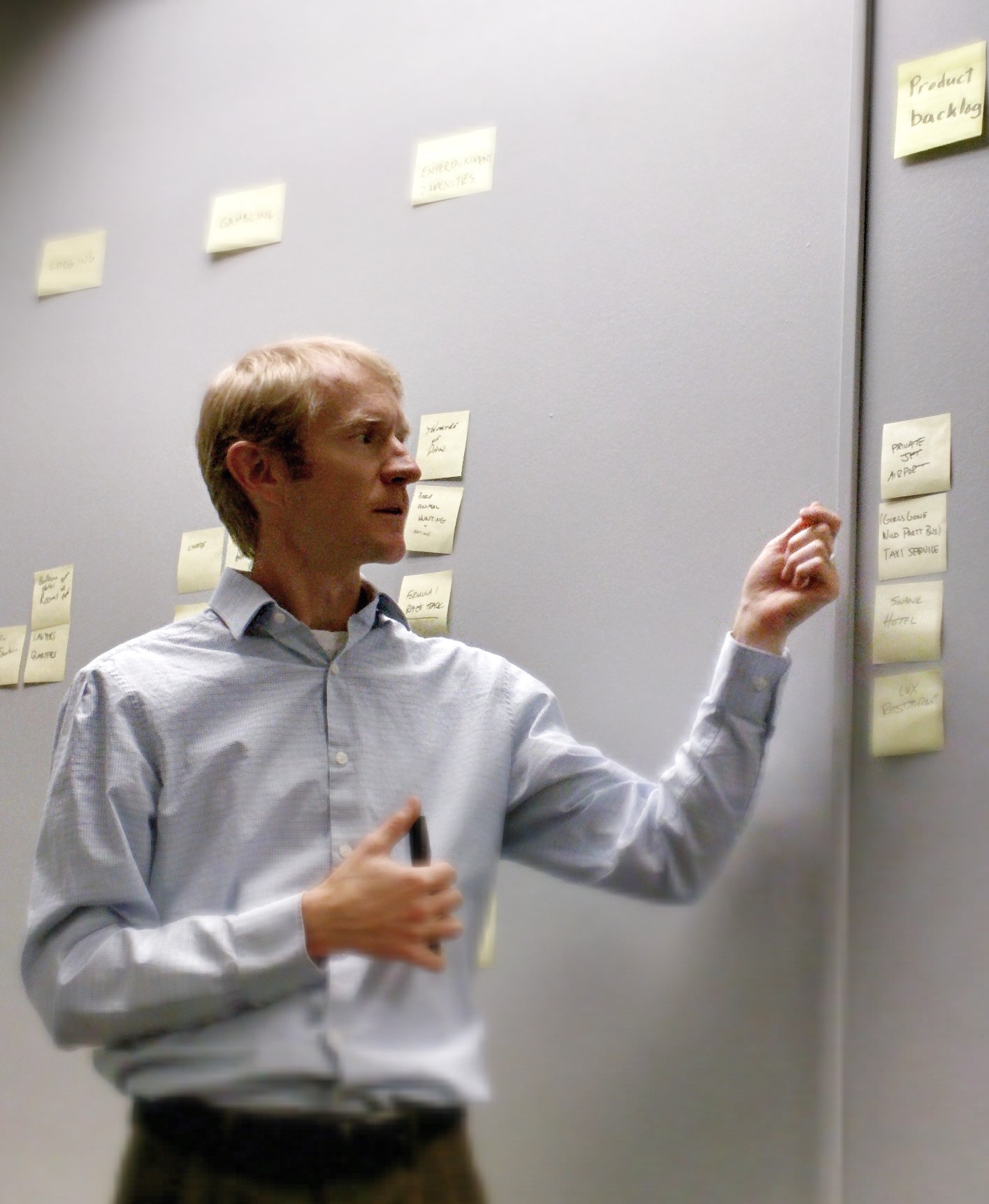
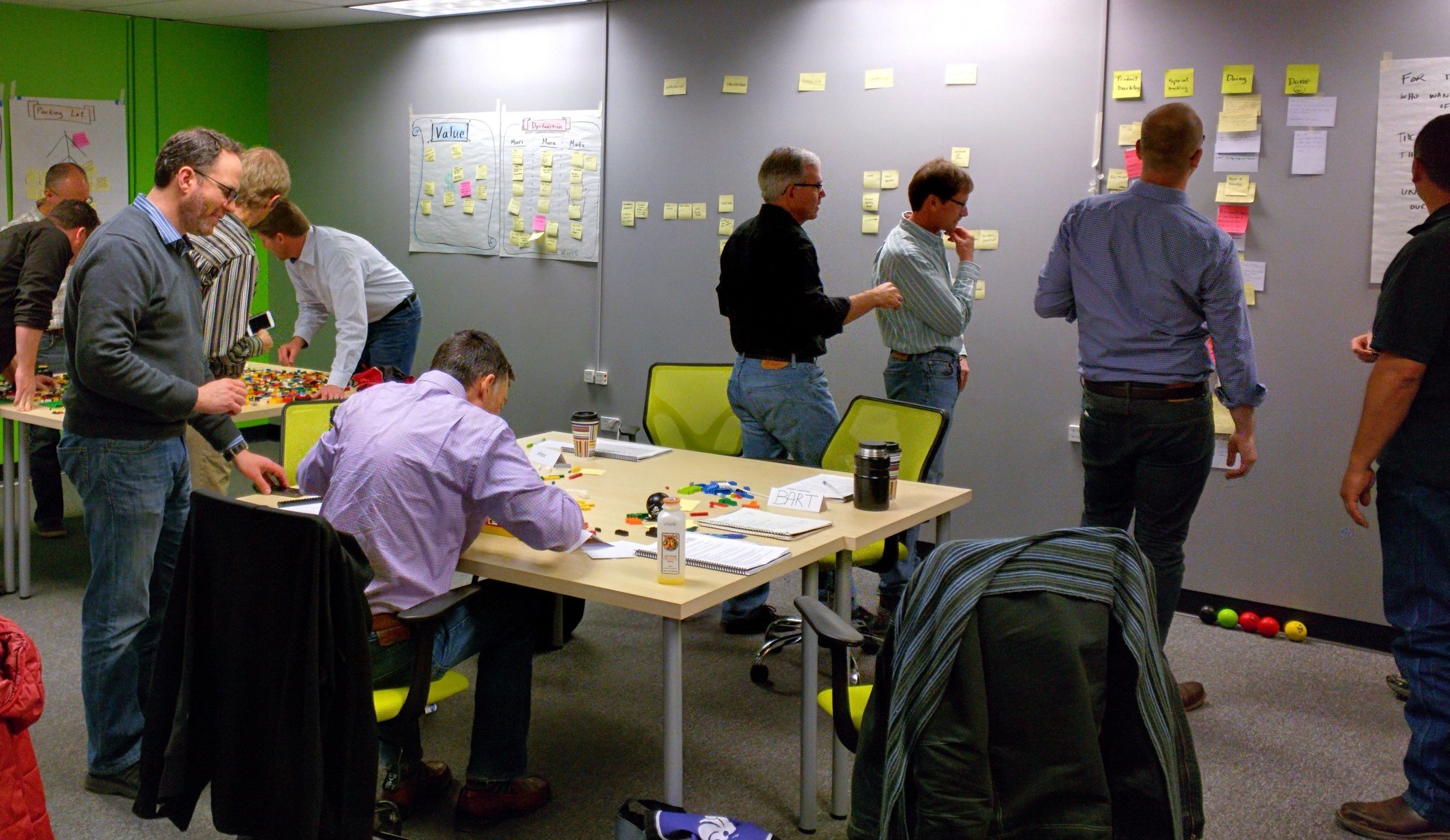
Our team of 9 estimators plus Scrum Masters and Product Owner gathered in a room with a large table. Since the teams were in their 3rd sprint, we started by laying out the completed user stories on the table based on their size to serve as our basis – small items on one end of the table, large item at the other end. These stories already had story point values. The product owner printed the backlog items on half-sheets of paper and brought them in a stack ordered by priority. We laid out the top 10 or so backlog items on one end of the table and began by using the structured rules of the Team Estimation Game. One person at a time could estimate one item placing it on the table according to size, or could choose to change an estimate made previously. Players proceed in round-robin fashion, with each player explaining his or her rationale. Other players are allowed to ask clarifying questions, but not to debate the estimate – they will have that chance on their own turn. Rather than proceed in strict priority order, we allowed each player to choose any story from the 10-or-so top-ranked items we set out.

Before we could even get one time around the table, the team was wanting to bend the rules. They were having discussions about each item, and while one person was placing an item, others were looking at the yet-to-be-estimated items. We asked them to remember the rules, and to get around the table at least one time before we considered relaxing the rules.

After the first round, we asked the team if they wanted to relax the rules and instead use Dynamic Team Estimation. They quickly agreed and immediately swarmed the table. Pairs and small groups had discussions about out items, and 2-3 items were under consideration concurrently at most times. We asked the team to follow one rule now: whenever someone estimated an item (by placing it on the table), he/she would get the whole groups’ attention and explain the rationale for the estimate; this gave everyone a chance to provide input or disagree. This was important – without it, estimates might not be considered by the whole team.

We split the session into pomodoros (25 minutes of work followed by a 5-minute break). During each pomodoro, the teams invited a few other members to attend so that everyone could observe the process and contribute if needed. The Product Owner answered questions and clarified the user stories.

After 3 and a half pomodoros, the team finished estimating 200 items with smiling faces. Just a few days earlier, many team members said they didn’t think they’d be able to estimate most items, and no one (including myself) thought we could do it in less than 2 hours. Success!

The backlog is not posted on a large wall, arranged by sprint based on the team’s velocity and estimates. The whole team now has visibility into the scope of the project and can use this tool for look-ahead planning (as described by Mike Cohn).

http://properosolutions.com/wp-content/uploads/2010/05/agile_estimation_2.0-for-pdf.pdf

{ 5 comments }

Many Scrum teams subscribe to the following set of rules, which are the prevailing guidance in the Scrum community and literature.

  1. At the beginning of a sprint, the team commits to delivering some number of backlog items
  2. Teams should not start work on a backlog item unless it can be finished in the same sprint
  3. Sprints should never be extended

The reasoning behind these rules are that the time pressure of a short, fixed sprint helps a team focus and get more done than they otherwise would, and that extending a sprint is a slippery slope toward anarchy. While I understand this logic, in practice I’ve seen two dysfunctions result from these tenets of Scrum.

First, in many organizations the word commitment invokes fear in the team: if we don’t deliver our commitment, we’ll be punished. As a result, teams are likely to under-commit and bring less work than they otherwise would into the Sprint. “But then they can bring in more work if they finish early,” goes the argument. But rules #2 and #3 tell them to do this only if they can finish the work by a fixed date, and the same fear factor makes them very reluctant to do this. I have actually seen teams with idle time at the end of the sprint as a result.

On teams without the fear of commitment, an entirely different dysfunction can result from these rules. While speaking to an audience of about 50 people at Agile Denver recently, I asked two questions.

  1. How many of you believe sprint deadlines are a positive motivation?
  2. How many of you have cut corners with quality to meet a sprint deadline?

To my surprise, only a handful of people timid raised their hands in response to the first question. To my further surprise, almost every hand in the room shot up emphatically in response to the second question. The evidence indicates that this combination of rules is having unintended consequences.

So what should we do? A few things I would recommend.

First, replace the phrase Sprint commitment with Sprint estimate. Be sure to have the crucial conversation with your team, Product Owner and stakeholders about what it means when the team accepts a set of user stories in sprint planning, and what it means if they are unable to complete all the items they estimated; particularly that no punishment will be doled out as a result. This is a good opportunity to stress the importance of limiting WIP and focusing on the highest priority items within the sprint, so that if anything isn’t finished it will be the lowest priority item.

Secondly, be sure to have good quality metrics as compensating measures for your velocity metrics. While velocity metrics give an incentive for the team to go faster, they also can result in pressure to cut quality. Effective quality metrics, such as code complexity and code coverage of automated tests, combined with practices like pair programming or code reviews, provide a balancing incentive to keep quality high.

Third, I believe it’s ok for a team to start a new backlog item even if they don’t think it can be finished by the end of the sprint, assuming that all the higher priority items are truly done and accepted by the product owner, and the team has established practices to ensure a sustainable pace with high quality. Some people might suggest that rather than starting a new story that can’t be finished by the end of the sprint, the team should do “extra” refactoring or work on resolving impediments. In my view, the team’s Definition of Done and working agreements should already ensure there is adequate time for these activities. If you wait until you have “extra” time, it’s likely that you’ll never have time.

Kanban eliminates the sprint deadline, which is another way to possibly reduce the motivations that lead to this dysfunction. But beware that kanban should not be used as an excuse to be undisciplined; perhaps that’s a topic for a separate post.

{ 2 comments }

Jira and GreenHopper for agile project management

December 17, 2009

I previously blogged about using Jira with some open source tools for managing agile projects, and concluded that it was not a great solution – without GreenHopper. I’ve been using the latest version of Jira with the GreenHopper agile plugin extensively now, and I like it. It is lacking some features, which I’ll describe later, [...]

Read the full article →

Definition of Ready (DoR)

December 16, 2009

All good agile teams have a Definition of Done (DoD) – the common set of criteria that every feature must meet before it’s considered complete. I wrote about the DoD previously in this post. But what about a Definition of Ready? How do you know when your backlog items are ready for the team to [...]

Read the full article →

SourceMonitor for .NET code quality metrics

November 18, 2009

A tip of the hat to Paul Rayner for recommending SourceMonitor for .NET code quality metrics. I gave this freeware tool a spin today on a C# project I’m working on for a large client, and was very happy. It’s easy to use and within a few minutes I had it installed and ran the [...]

Read the full article →

Agile vs. Waterfall: The NetFlix analogy

October 11, 2009

The following is a fable to compare traditional waterfall projects to agile/lean projects…

Announcing my new movie rental service, NetPix! Here’s how it works.

You get 60 movies each year, delivered on DVD in the mail.
When you first sign up, choose 60 movies you want. When you finish choosing your movies, we’ll confirm that it’s really the [...]

Read the full article →

More tips for better retrospectives

September 29, 2009

At last night’s Agile Denver meeting, I facilitated an open space discussion and one of the topics was conducting more effective retrospective meetings. The group had some great insights and advice that I’d like to share here. Thanks to everyone who participated!

Rotate responsibility for facilitating the retrospective. Get fresh perspectives and creative ideas. Don’t [...]

Read the full article →

Open source agile project management tools

September 22, 2009

I authored a comparison of five open source agile project management tools: Agilefant, IceScrum, Agilo, eXPlainPMT, and XPlanner. The article is posted on Open Logic’s Wazi site. I welcome your feedback!

Read the full article →

Seven tips for distributed agile teams

August 19, 2009

Agile methods were originally intended for small co-located teams. Can they work for geographically distributed teams? In fact, due to the challenges of working with distributed teams, I believe the fast feedback and validation afforded by agile methods provide a distinct advantage for distributed teams because problems are found sooner. I have experienced great success [...]

Read the full article →

Eight tips for better retrospectives

August 17, 2009

I am often surprised at how many self-described agile teams don’t hold retrospective meetings every iteration. For those team that do hold retrospectives, I often find they have a lot of room for making them more effective. An attitude of continuous improvement is fundamental to successful teams, and the retrospective is the primary mechanism for [...]

Read the full article →